
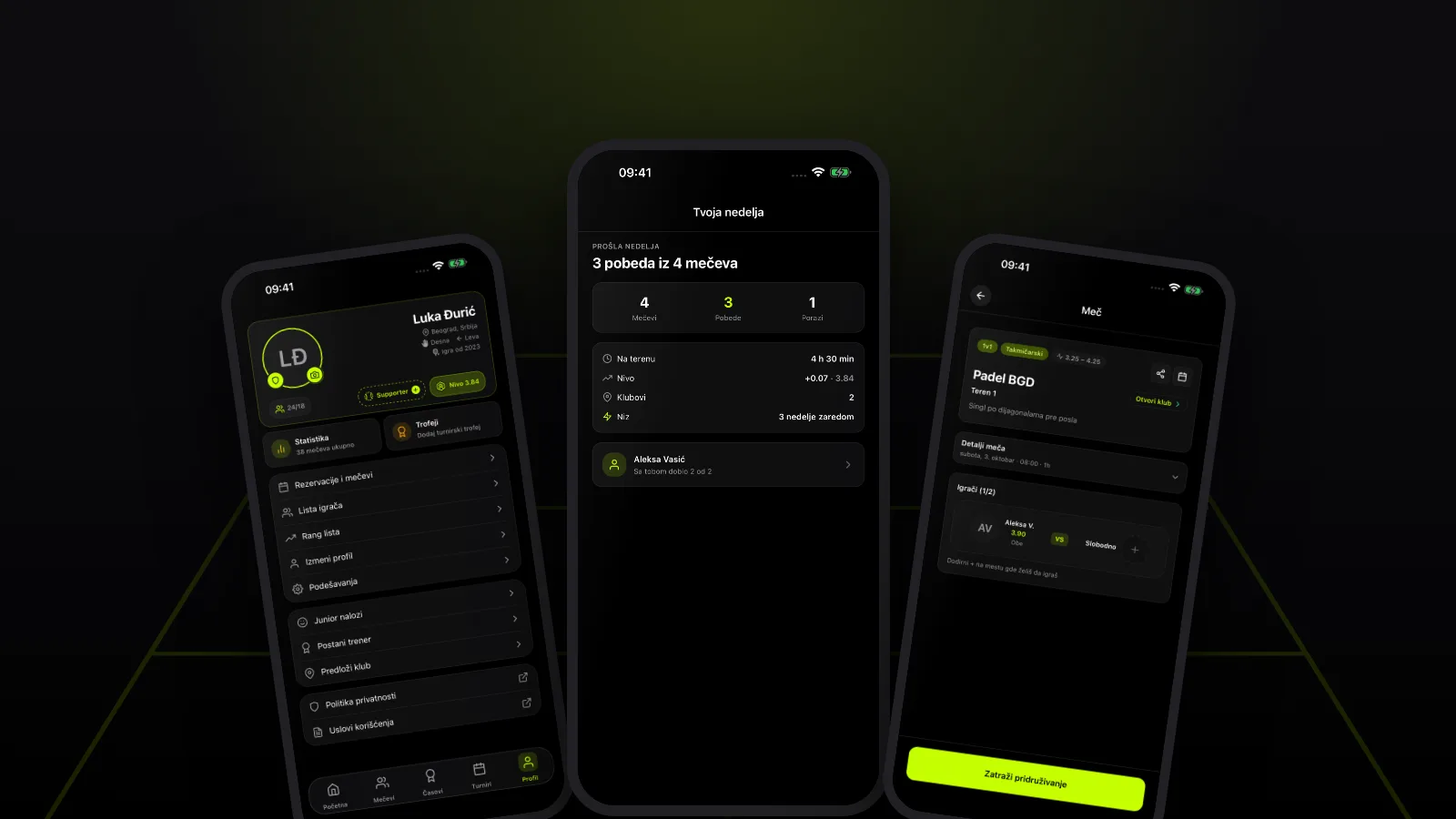
How to track padel results: your record with each partner and opponent, the "You two" head-to-head, the Monday weekly recap, and how to use the numbers well.
After a match everyone has their own version of events: "we always win when I play with Marko", "I can never beat that left-hander". Try to remember a few months later who really won with whom and your memory lets you down — the dramatic wins and painful losses stick, the ordinary matches vanish. That's why it pays to write your results down somewhere.
Short answer: padel stats show which partners you win with most and which opponents give you the most trouble. You can keep them yourself in a notebook or spreadsheet, or let the PadelDropIn app do it: from confirmed results it builds your record with every partner and opponent, a "You two" head-to-head with each player, and a weekly recap every Monday. Treat the numbers as a signpost, not a verdict.
Contents
- Why track your padel results at all?
- How to keep your own record
- Who do you win with? Partners and opponents in the app
- You two: your record with one player
- The weekly recap every Monday
- How to read the numbers without overdoing it
- FAQ
- How to get started
Why track your padel results at all?
In doubles you're not on your own — the result also depends on how well you and your partner read each other. Some pairs click straight away: one loves the net, the other patiently returns balls from the back, and nobody argues over the ball down the middle. Other pairs keep leaking points even when both players are good.
Tracking results helps you:
- find the partner you click with — not just the one you enjoy playing with, but the one you actually win with;
- spot opponents who don't suit you and ask why — a big smash, lots of lobs, or something else;
- see whether you play regularly — consistency is what improves you fastest.
How to keep your own record
Without any app, a simple spreadsheet is enough. After each match, note:
- the date and the club;
- who you played with and against;
- the score by set;
- one sentence on what decided the match ("we lost every lob", "the serve was working").
That last sentence is worth the most. After ten or so matches you'll see patterns that a bare score would never show. The downside of doing it by hand is that most people give up after a few weeks — which is why it helps when the counting happens on its own.
Who do you win with? Partners and opponents in the app
In the PadelDropIn app, open your profile and then Statistics. There you'll find a "Who you play with" section with a Partners / Opponents toggle. For the top five players you see their avatar, name, record (for example 12–3, or 12–3–1 if there were draws) and win percentage. Tap a row to open that player's profile.
Above the list, the app highlights two players:
- your best partner, labelled "You win most with …" along with your record;
- your toughest opponent, labelled "… is the tough one".
The counting rules are deliberately strict:
- only matches with a confirmed (or auto-confirmed) result count — cancelled bookings and results without assigned teams are skipped;
- each part of a match (a block of sets) is counted with the teams that actually played it, so if you swapped pairs mid-session, everyone gets the right record;
- best partner and toughest opponent need at least three matches together; a draw counts as half a win, and a tie goes to the longer shared history;
- the whole section only appears once you have at least three confirmed results.
One note on singles: in a 1v1 match you have no partner, only an opponent. If that format interests you, read the padel singles 1v1 guide.
You two: your record with one player
Open the profile of someone you've played with and you'll see the "You two" card: how many matches you've played together, how many as partners, how many as opponents, and who leads — for example "You lead 7–4". The card only shows if you've actually played together.
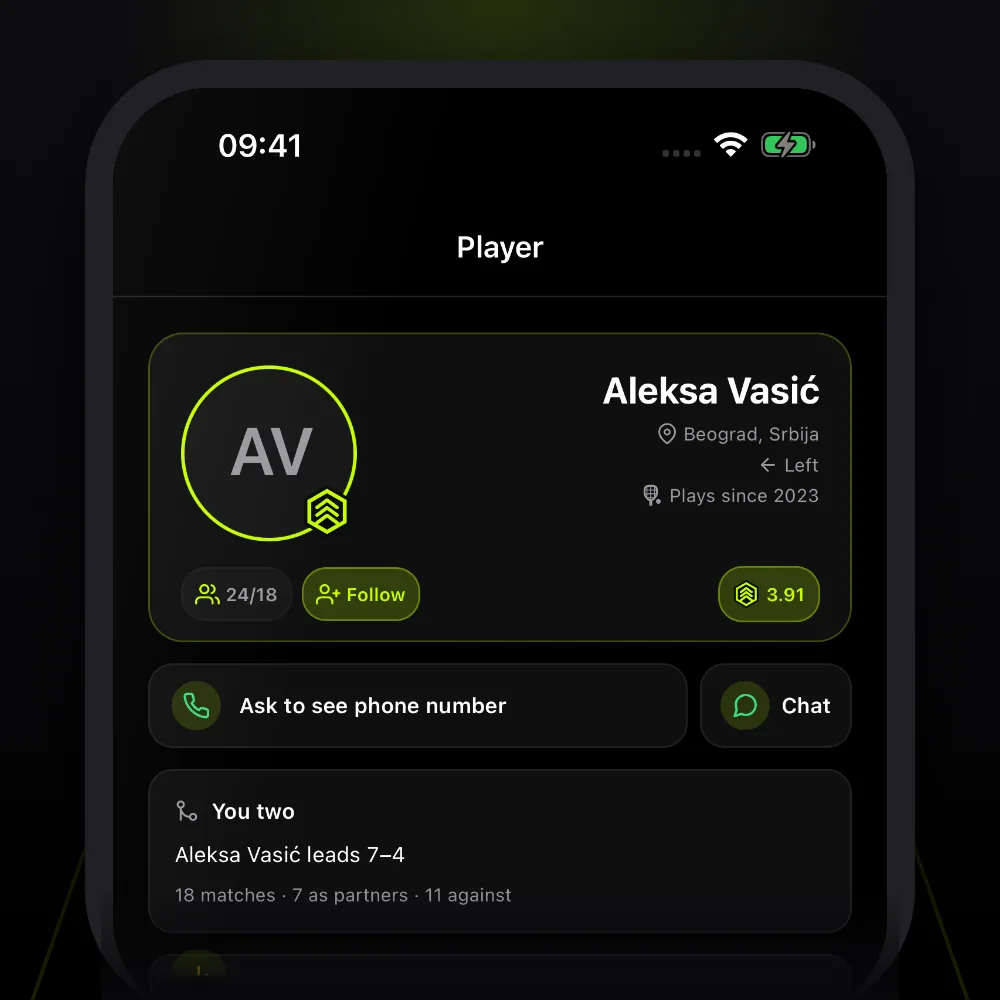
This is handy before you invite someone to a match. If you've met seven times as opponents and never as partners, maybe it's time to try the same side of the net. If someone keeps beating you, invite them for exactly that reason — those are the matches you learn most from. For inviting players and setting up a game, see how to find padel partners and start an open match.
The weekly recap every Monday
In the PadelDropIn app a week runs Monday to Sunday (Belgrade time). On Monday at around 10:00 you get a notification with last week's recap — but only if you played that week and have notifications switched on. From Monday to Wednesday the recap also sits as a card on your Home screen.
The recap shows:
- matches, wins and losses (draws aren't shown separately);
- time on court;
- your level change, if there was one;
- the number of clubs, if you played at more than one;
- your streak in weeks, from two weeks up — for example "3 weeks in a row";
- the partner you won most with that week.
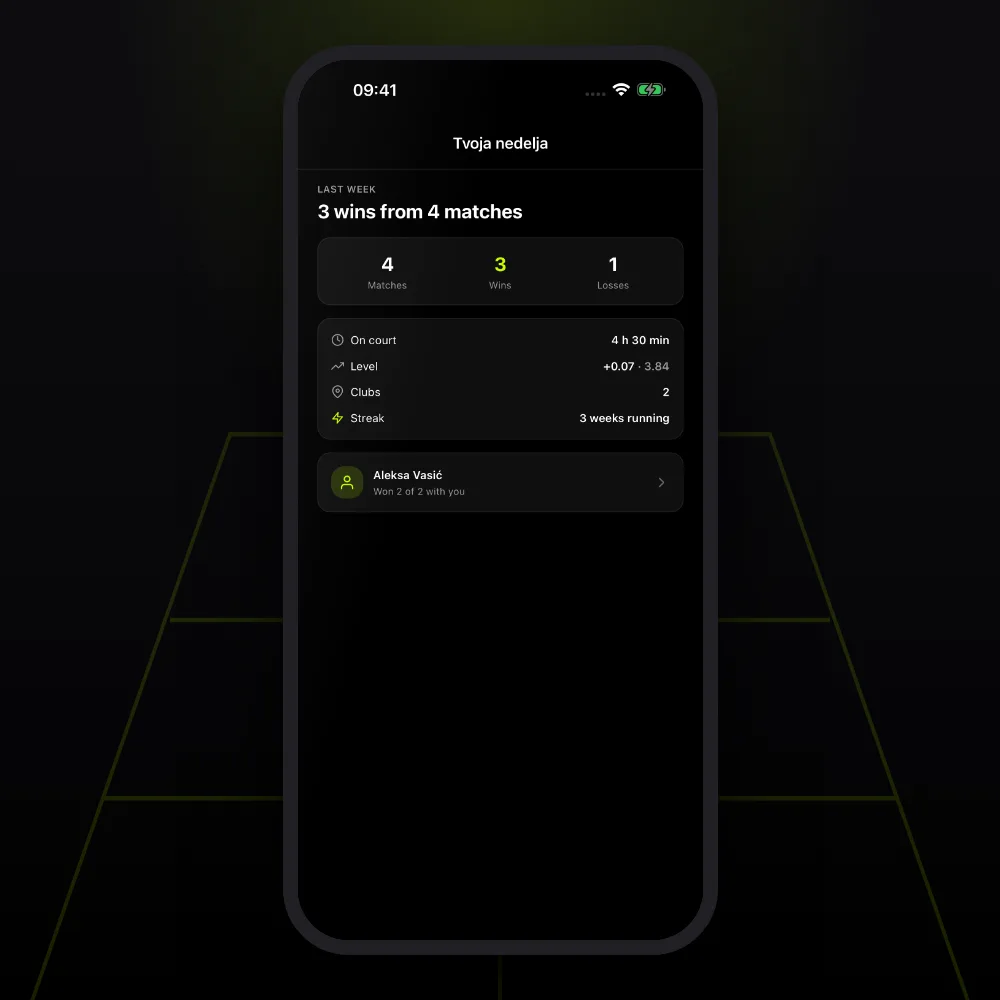
If you win every match, the headline says so — a perfect week. Your level only moves with competitive matches; friendly matches don't count toward it.
The recap shouldn't feel like homework. It works best as a light habit: glance at it on Monday morning and book your next game. You still book the court directly with the club — by phone, on the club's website or in person — and pay there, then open a match for that slot in the app. You'll find clubs on the padel clubs page.
How to read the numbers without overdoing it
Numbers are useful, but small samples lie easily. That's why the app waits for at least three matches before naming anyone your best partner. A few tips:
- Don't draw conclusions after two matches. A 2–0 start with a new partner is nice, not proof.
- Look at who was on the other side. A high win rate against weaker pairs is worth less than a close record against stronger ones.
- With a tough opponent, look for the reason, not someone to blame. Write down what exactly bothers you and practise that.
- Don't pick partners on percentage alone. Someone you lose with more often, but enjoy playing and learn with, is still a good choice.
- Be fair to people. Your stats are for you, not for calling out a partner after a loss — more on that in padel etiquette: the unwritten rules.
FAQ
Why can't I see the "Who you play with" section? It only appears once you have at least three confirmed results. Check that your match results have been entered and confirmed.
Why didn't I get a weekly recap? The recap only arrives if you played a match that week and have notifications turned on.
Do matches without teams count? No. If a result has no assigned teams, the app can't tell who was a partner and who was an opponent, so it skips that match.
How to get started
- Download the PadelDropIn app and set up your profile.
- Book a court directly with the club and open a match for that slot in the app.
- After the match, enter the result with the teams and wait for it to be confirmed.
- After three confirmed matches, open Profile → Statistics and check "Who you play with".
- On Monday, look at your recap and book your next match.
If you're still putting a group together, see where to find padel players in Serbia, and for everything else that's new, read what's new in the PadelDropIn app.
Download PadelDropIn
Find open matches, clubs, and padel partners in your city — free for players.