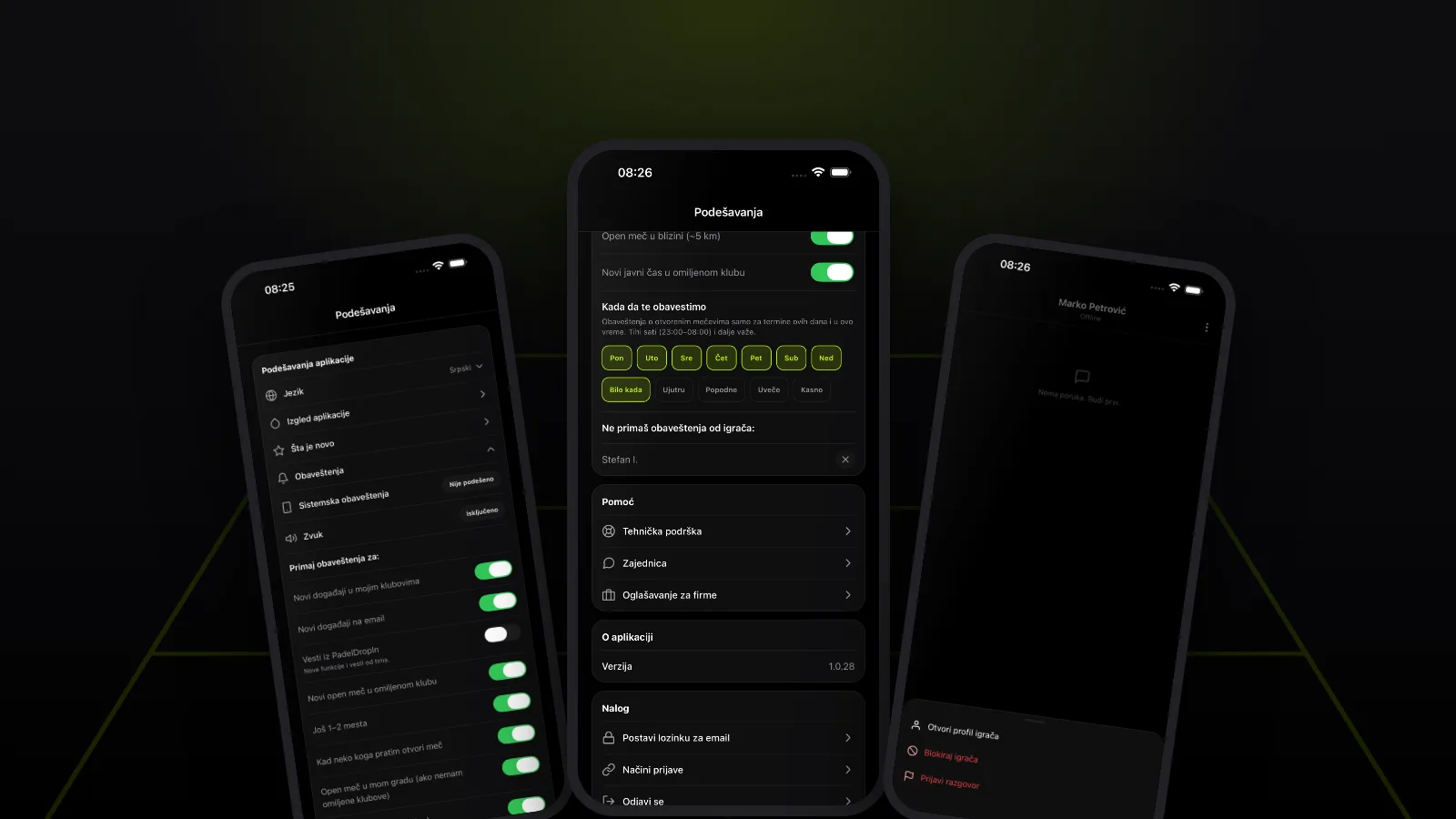
Why PadelDropIn only half works without notifications, how to turn them on for iPhone and Android, how to pick what you get, and how to mute or block a player.
You install the app, set up your profile, and when the phone asks whether to allow notifications, you tap "Don't Allow". Fair enough. Nobody wants another app buzzing all day. In padel, though, it means you hear about an open match at your club only after it has filled up.
Short answer: PadelDropIn only half works without notifications. Match invites, join requests, messages, pre-match reminders and result confirmations reach you when they matter, not when you happen to open the app. Turn on system notifications, then go to Profile → Settings → Notifications to switch off what you don't need and mute players whose matches don't interest you.
Contents
- Why notifications matter in padel
- What PadelDropIn tells you about
- How to turn notifications on
- How to choose which notifications you get
- How to stop alerts about one player
- How to block a player in Messages
- Notification FAQ
- Two-minute setup
Why notifications matter in padel
Padel is played in fours, and games are usually arranged a few days ahead. When someone opens a match at a club you play at, the free spots often go quickly. If your phone doesn't tell you, you find the match when it's already full.
It works the other way too. If you organise a match and wait for players, you only see a join request or an accepted invite when you open the app. By then the other player may already be looking for a different game.
Notifications aren't there to flood you. They're there so you don't miss the moment when you need to act: accept a player, confirm a result, or get to the court on time.
What PadelDropIn tells you about
Notifications fall roughly into two groups.
The ones about you: your matches, lessons and tournaments.
- a match invite, and replies to your invites
- a request to join your match, and whether your own request was accepted or declined
- a match being changed or cancelled
- a reminder the day before and about two hours before a match, lesson or tournament
- entering and confirming the result after a match
- tournament registration, your pair partner and the waitlist
- new messages in your conversations
The ones that help you find a game: new open matches at your clubs, nearby or from players you follow, matches that are one or two players short, and new public lessons.
Keep the first group on. Tune the second group to taste, as described below.
One thing is worth knowing: messages arrive only as push notifications. Everything else also shows up later in the notification list inside the app (the bell on the home screen). For a new message, though, you only find out if notifications are on or if you open Messages.
How to turn notifications on
The app doesn't ask for notification permission the moment you open it. It first shows a short in-app prompt, "Don't miss notifications", and the phone's own permission dialog only appears when you tap "Enable". You see it after you sign in, and sometimes after you register for an event or tournament.
If you said no back then, it's not too late:
- Open Profile → Settings.
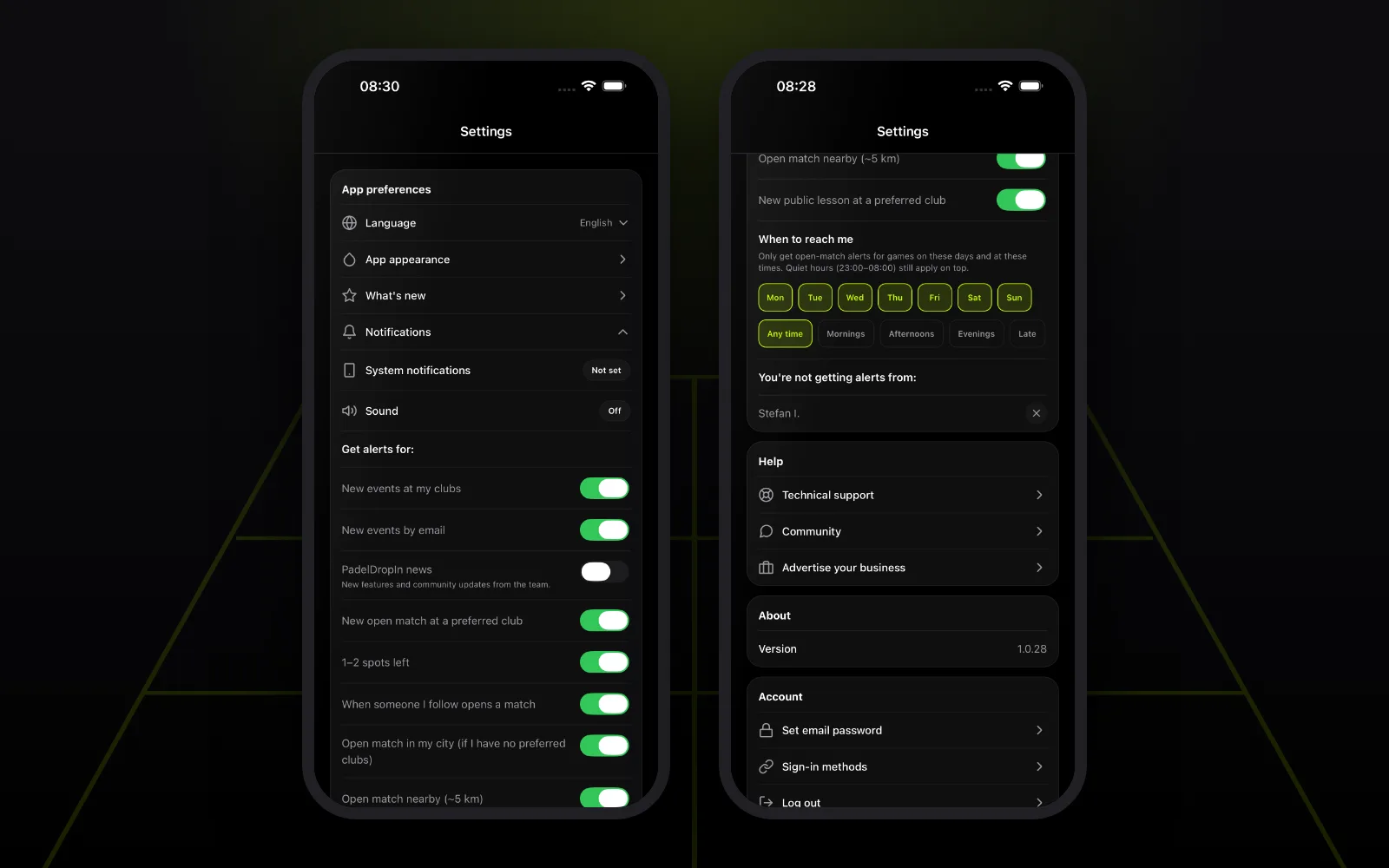
- Under "App preferences", open "Notifications".
- Look at the "System notifications" row. It says On, Off or Not set.
- Tap it. If the phone hasn't asked yet, the permission dialog appears. If you declined earlier, it opens your phone's settings for PadelDropIn.
You can also do it straight from the phone:
- iPhone: Settings → Notifications → PadelDropIn → turn on "Allow Notifications".
- Android: Settings → Notifications → App notifications → PadelDropIn. Menu names vary by phone maker.
System notifications are the master switch. If they are off, PadelDropIn can't send you anything, whatever is switched on inside the app.
How to choose which notifications you get
Turning notifications on doesn't mean getting all of them. In the same "Notifications" section, under "Get alerts for:", each type of alert about new matches and events has its own switch.
| Switch | When it fires |
|---|---|
| New open match at a preferred club | Someone opens a match at a club you marked as preferred |
| 1–2 spots left | A match at your club is one or two players short |
| When someone I follow opens a match | A player you follow opens a match |
| Open match in my city | A new match in your city, if you have no preferred clubs |
| Open match nearby (~5 km) | A new match within about 5 km |
| New public lesson at a preferred club | A coach posts a public lesson at your club |
| New events at my clubs | A club announces an event or tournament (email is a separate switch) |
| PadelDropIn news | New features and news from the team, off by default |
An open match is a match where the court is already booked with the club and players are still needed. How to open and fill one is covered in how to find padel partners and organise an open match.
Only the times that suit you
Below the switches is "When to reach me". Pick days of the week and a time of day: Mornings, Afternoons, Evenings or Late. From then on you only get open-match alerts for matches that start in the times you picked. If you only play on weekday evenings, there's no reason for your phone to tell you about Saturday mornings.
If you have preferred clubs, a "Preferred clubs" list also appears, where you can switch off match alerts for a single club.
Quiet at night
Alerts about new open matches are not sent between 23:00 and 08:00, whatever your settings. This can't be changed and applies to everyone.
The switches don't affect notifications about your own matches, lessons and tournaments. Invites, reminders and results keep coming as long as system notifications are on.
How to stop alerts about one player
Sometimes the problem isn't notifications in general but one player's matches. Maybe someone keeps opening matches at times that don't work for you, or at a level that isn't yours.
- Open that player's profile.
- At the bottom of the profile, tap "Don't get notifications about this player's open matches".
The player isn't told. The full list of players you've muted is in Settings → Notifications, under "You're not getting alerts from:". Tap the × next to a name to get their alerts again, or do the same from their profile.
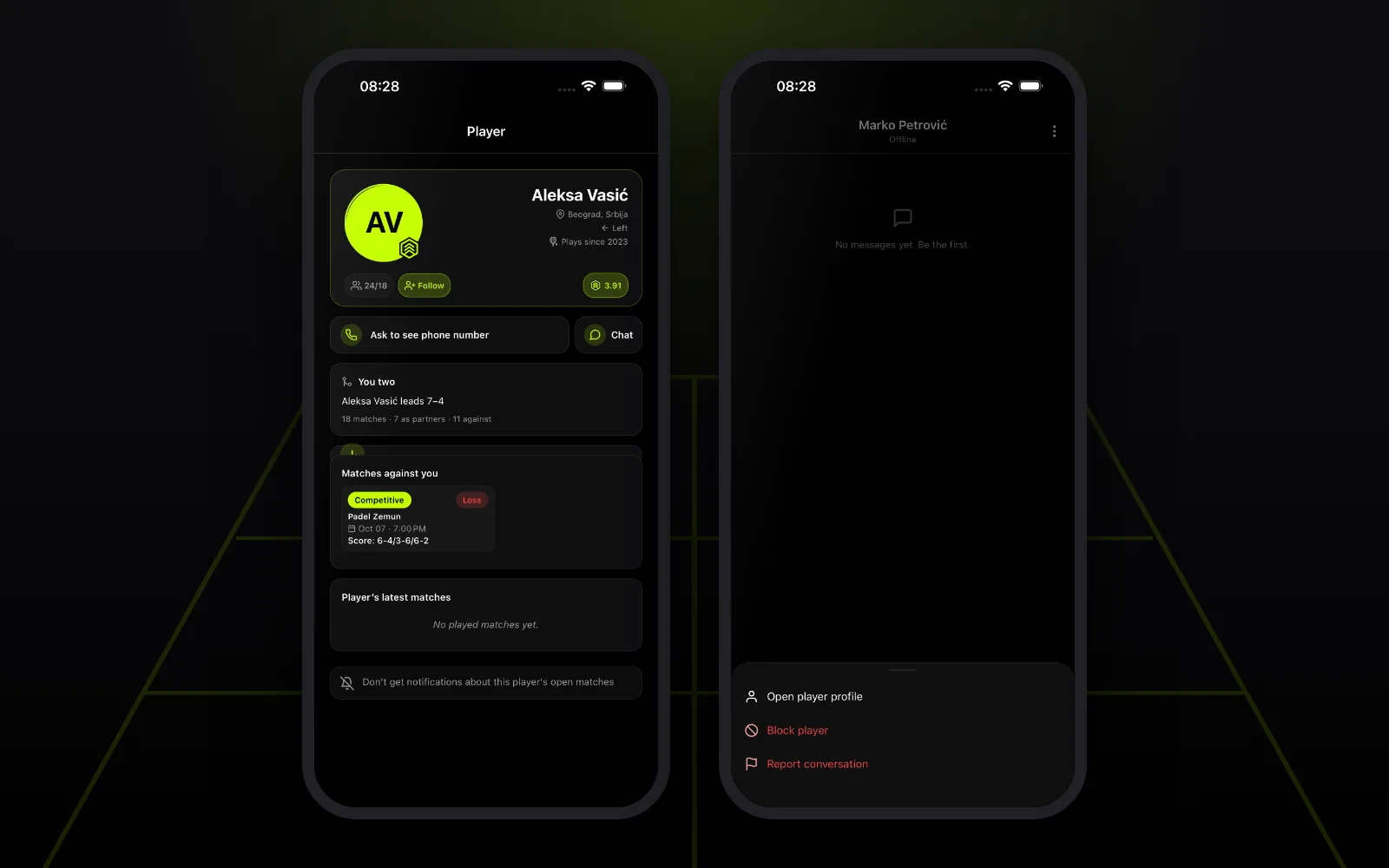
Muting only covers alerts about their open matches. You can still play together and message each other.
How to block a player in Messages
If someone is messaging you and you'd rather they didn't, block them from the conversation:
- Open the conversation with that player in Messages.
- Tap the menu in the top-right corner ("Conversation options").
- Choose "Block player" and confirm.
After that the player can't send you messages, so you won't get message notifications from them either. The conversation leaves Messages, and the player isn't told that you blocked them. The same menu has "Report conversation" for spam, harassment or inappropriate content. The PadelDropIn team reviews every report.
Blocking applies to private messages. It doesn't remove the player from matches or group chats you share. If you also don't want alerts about their matches, mute them on their profile as described above. For handling disagreements with other players, see padel etiquette: how to behave on court.
Notification FAQ
If I turn notifications off, do I lose anything in the app? You don't lose any data. Everything except messages is in the notification list inside the app, but you only see it when you open the app. For matches that fill quickly, that's often too late.
Why am I not getting notifications even though they're on in the app? Check the "System notifications" row in settings. If it says Off, notifications are blocked on the phone and need to be turned on in your phone's settings. Also check Do Not Disturb or a Focus mode on your phone.
Can I get only reminders, without new matches? Yes. Turn off every switch under "Get alerts for:". Reminders, invites and results for your own matches still come through.
Does a player know I muted or blocked them? No. Neither muting nor blocking is reported to the other player.
How do I stop notifications at night? Alerts about new open matches aren't sent between 23:00 and 08:00. For the rest, use "When to reach me" or your phone's sleep mode.
Two-minute setup
- Download the PadelDropIn app and tap "Enable" when it asks about notifications.
- Open Profile → Settings → Notifications and check that "System notifications" says On.
- Keep the switches on for the clubs and matches you care about, and turn the rest off.
- In "When to reach me", pick the days and times you actually play.
- Mute players whose matches don't suit you from their profile.
If you're looking for people to play with at specific times, also read padel singles: how to play 1 vs 1 and what's new in the PadelDropIn app. More about the app on the PadelDropIn home page.
The club network is gradually growing across the region; Belgrade is active right now.
Sources
- Apple: Change notification settings on iPhone (checked 9 October 2026)
- Google: Control notifications on Android (checked 9 October 2026)
Download PadelDropIn
Find open matches, clubs, and padel partners in your city — free for players.